
Alvey: AI WordPress manager

Manage your entire WordPress site with Alvey, our smart AI
Alvey is a site management tool powered by AI that analyses your WordPress site and improves it for AI searches and all-around SEO
Time – the one thing you can’t get more of, so we built Alvey to give website managers more time back.
It analyses your site content, writes missing content in your brand voice, optimises it, completes the on-page SEO and pushes it to your site as a draft, ready to finalise and publish.
- Site cards
- Stale content alerts
- Syncing
- Site roles
- Content table
- SEO data
- AI search readiness
- Content associations & relationship map
- Content tasks (checklists)
- AI article generation
- Writing styles
- Article approval workflow
- Site questions & improvement checklists
- Topic clusters
- Brand visibility (GEO tracking)
- Internal knowledge base
What Alvey does
Alvey understands your site and your content
Site cards
The dashboard shows a card for every connected WordPress site. Each card displays total page count, when the site was last updated, who updated it, the assigned manager, contributors, clients, and whether the site is active or stale. Handy if you manage more than one site.
Stale content alerts
Any site that hasn’t been updated in over 60 days is highlighted with an orange warning badge so nothing slips through the cracks.
Syncing
Hit Sync on any site to pull the latest pages and posts from WordPress via the custom REST API connection. A full sync fetches everything; the standard sync updates only what’s changed. Post types that would swamp the results (like WooCommerce products) can be excluded per site.
Site roles
Each site has a Manager (the main point of contact), one or more Contributors (team members who write or edit), and one or more Clients (the people who receive approval emails). Roles are managed from the Manage Roles button on each site card.
Content table
Clicking a site opens a full table of every page and post synced from WordPress — title, URL, word count, SEO score, last modified date, and who modified it. The homepage is always pinned to the top. Columns are sortable and the table is searchable.
SEO data
For each page, Alvey stores the Yoast focus keyphrase, SEO title, meta description, H1, H2 headings, and an overall SEO score so the team can see at a glance which pages need attention.
Content associations & relationship map
Pages can be linked to a category and tags. Alvey then draws a visual map showing other pages that share those associations, and checks whether those pages actually contain a link back to the current page — helping the team spot internal linking gaps.
Content tasks (checklists)
A clipboard button on each site opens the Tasks view, where the team can create content requirements: give a task a title, priority (high/medium/low), due date, assigned user, and track it through pending → in progress → completed. Tasks support threaded discussion comments and email reminders to the assigned person.
AI article generation
Admins can generate full SEO-optimised articles using Alvey. Articles are drafted against a target keyword, writing style guide, and any reference files uploaded for the site. The resulting HTML can be edited directly inside Alvey and pushed to the live website with Yoast metadata, internal and external links and an excerpt all done for you.
Writing styles
Writing style guides can be created and assigned to sites, giving Avley consistent tone-of-voice instructions – useful when writing for clients with distinct brand voices.
Article approval workflow
Once a draft is ready, clicking Send for approval emails a unique review link to every client assigned to that site. The client can read the article, request changes via an AI assistant, edit the text directly, and click Approve. The team is notified when approval comes in.
Site questions & improvement checklists
Upload a CSV of search queries from Serprocket (queries where the site already gets impressions). Alvey matches each query to the ranking page, groups them by page, and lets you run an AI analysis that produces a prioritised checklist of improvements to make that page perform better.
Topic clusters
The topic clusters view maps out keyword groupings for a site, helping to plan content strategy, spot cannibalisation, and identify gaps in the site’s topical authority.
Brand visibility (GEO tracking)
Track how often a site’s brand appears in AI-generated search results across different query types – useful for understanding how visible a client is in the emerging generative search landscape
AI readiness
Alvey shows you how ready your site is for AI search, it gives you pointers about what needs to be done on your pages to help you get the best chances of getting mentioned in AI searches and conversations.
Internal knowledge base
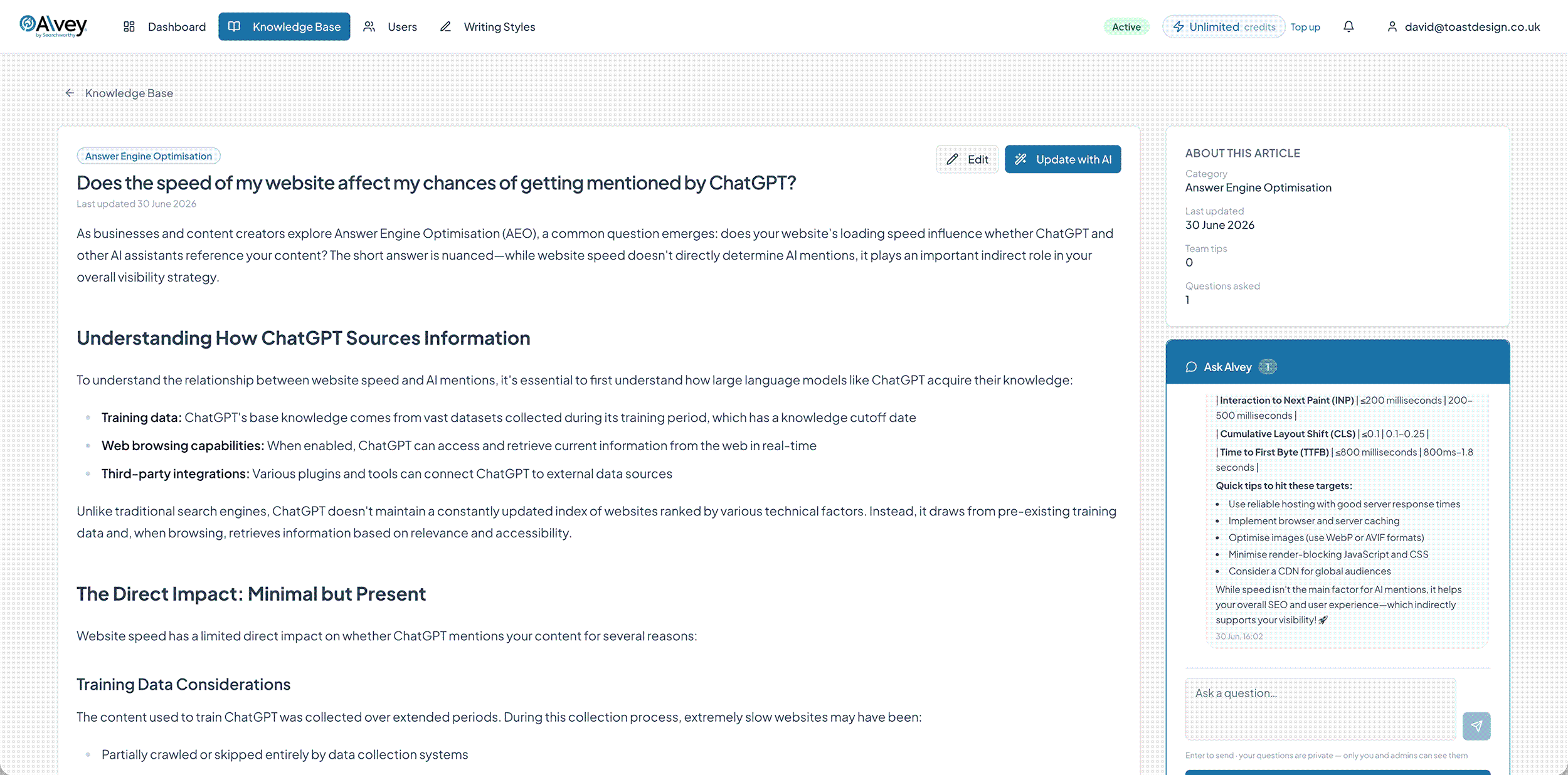
A library of articles covering processes, guidelines, and how-tos for users. Each article has a built-in AI chat assistant (Ask Alvey) that answers questions using the article’s content. When you’re done chatting, you can email us a summary of the conversation so we can help you.
Alvey saves you time and money and ensures things are done correctly on your site.
Managing a website properly takes a lot of time. Alvey gives you that back.
Now that AI search is here, you can’t simply throw content up onto your website. You need to ensure that it’s written correctly, organised properly, and has all the elements that AI wants if it’s to stand a chance of being cited.
We’ve been using Alvey on our own website for over two months and estimate it saves at least six to eight hours per week.
Not only does it save time, it also ensures that all of the content we push to our websites is optimised for AI and stands the highest chance of getting cited.
Alvey screenshots
Some of the key management screens – click to enlarge
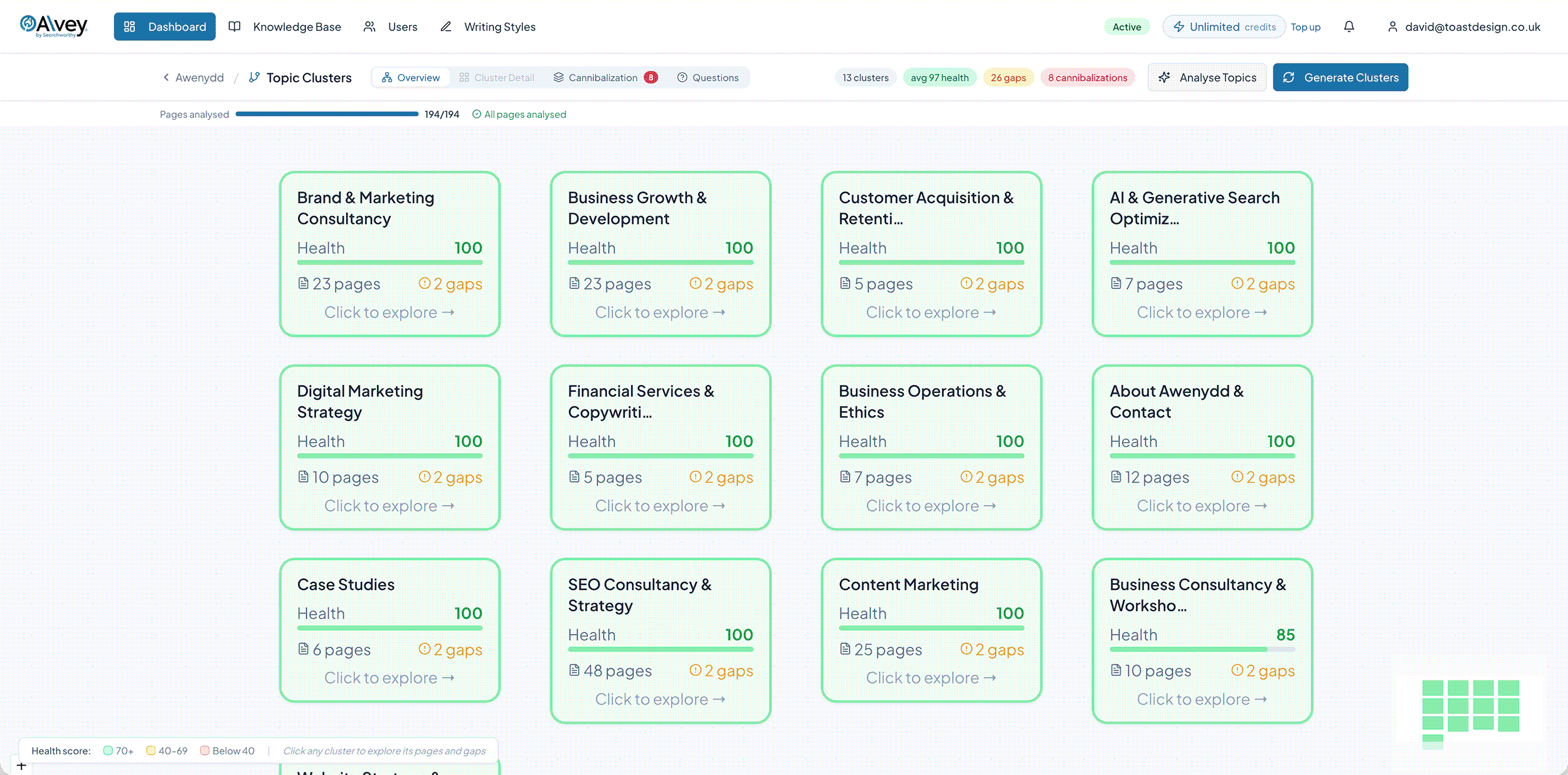
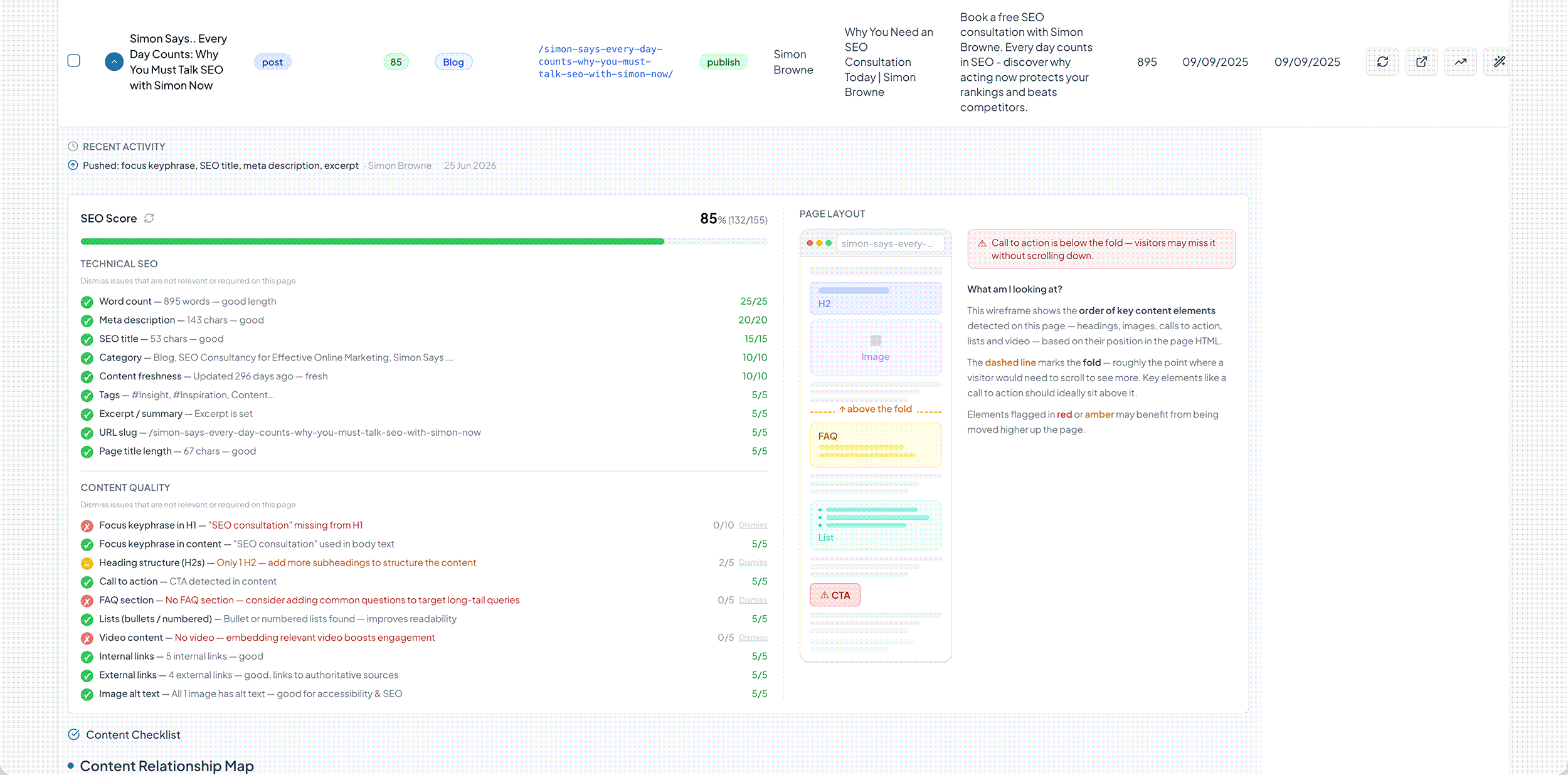
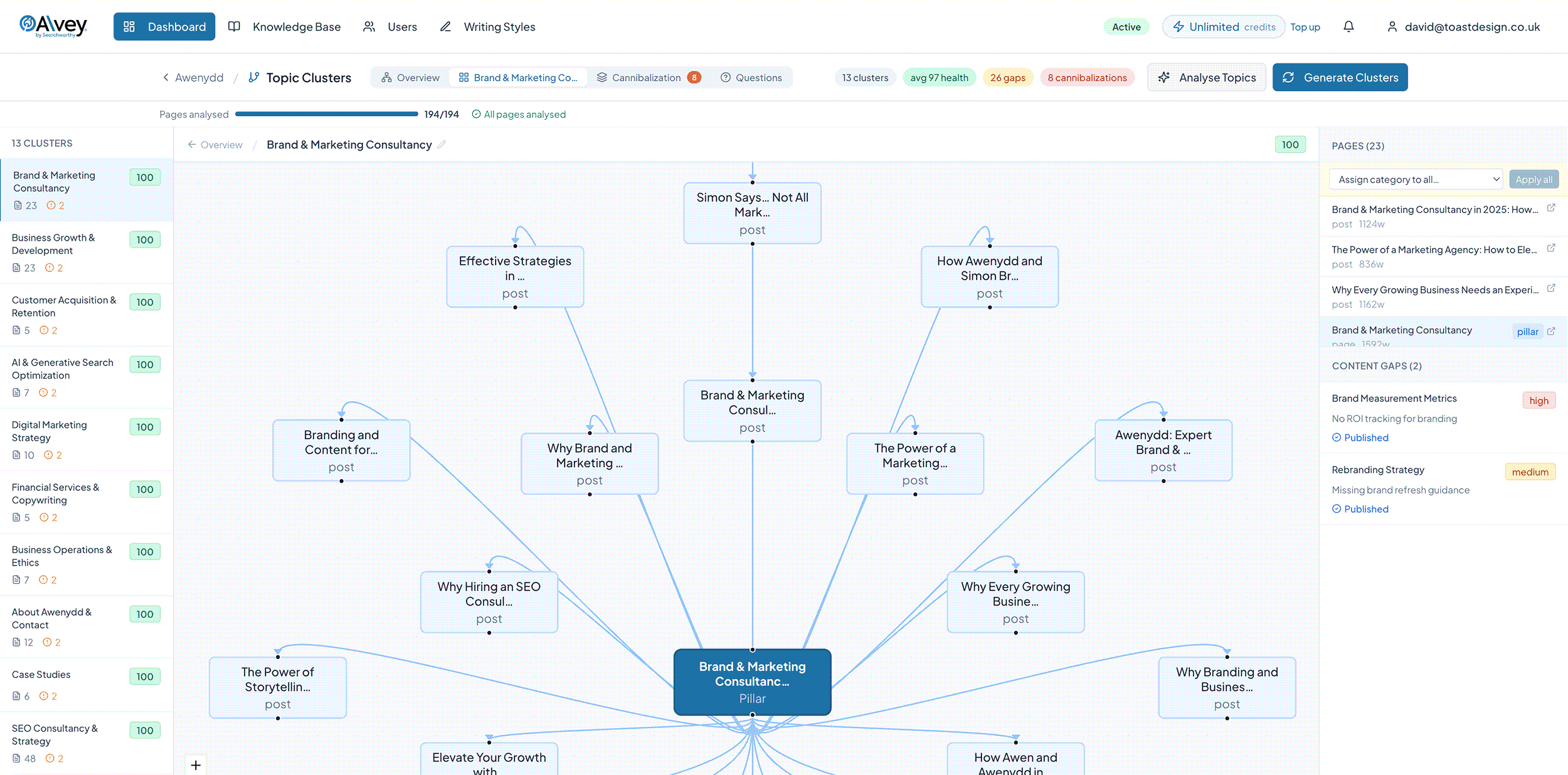
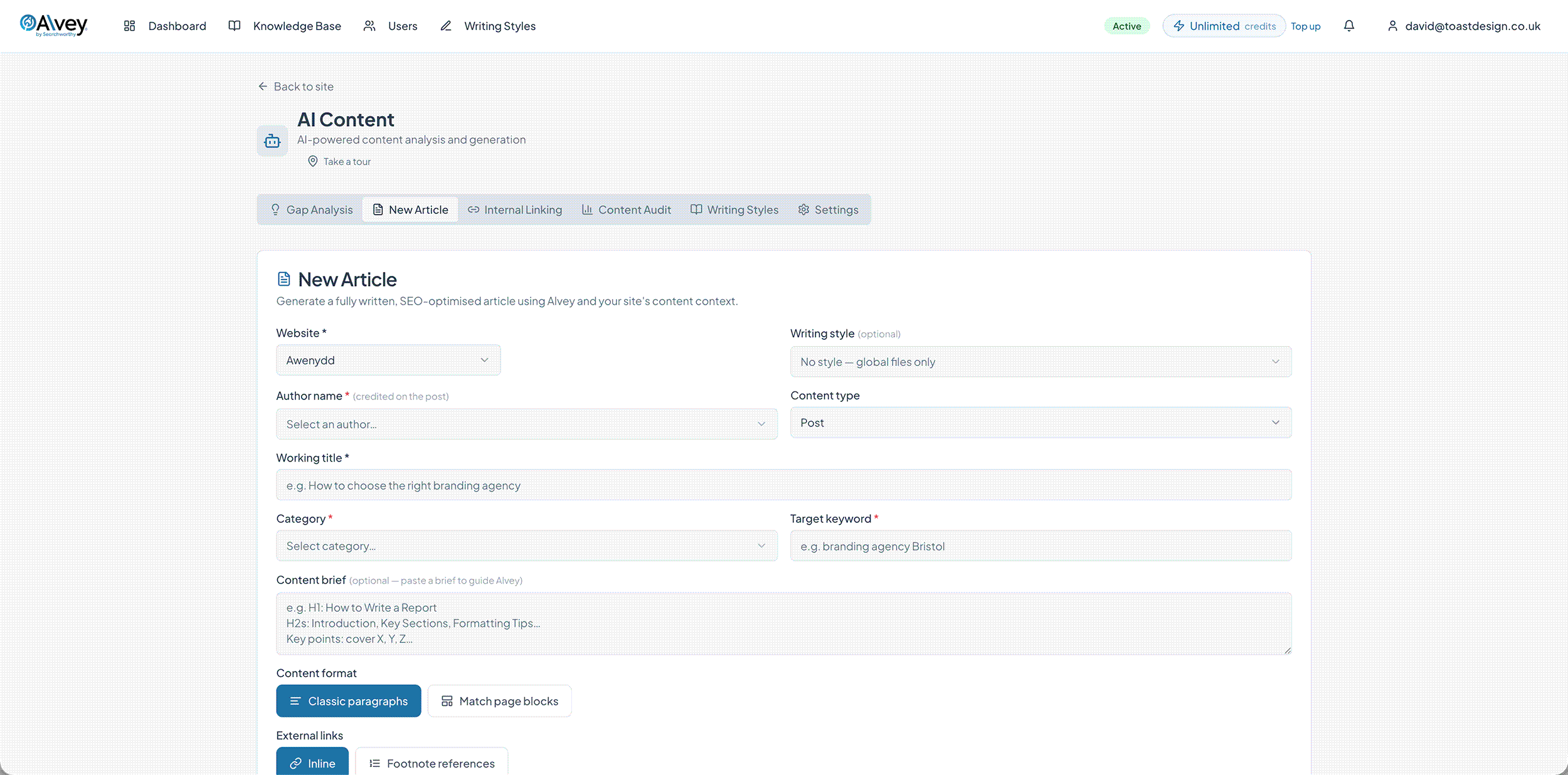
At present, Alvey is invite-only, as your WP site needs to be properly built to use it.
Alvey works by connecting to the WordPress content layer.
If your website is built on a page builder or something that stores the content elsewhere, it will not work.
Sites that use Gutenberg or ACF blocks are suitable, but we need to check your site before granting you access.
If your website is built on a page builder, now might be the time to consider rebuilding it – page builders generate code soup that AI crawlers have to navigate before they can get to your content. This reduces the time they have to crawl your content and can hinder your chances of getting mentioned.
We estimate that over the course of a year, Alvey will save 200-300 hours of time spent on your website. You could use the money Alvey could save you to have your website rebuilt so it’s both AI- and Alvey-ready.
How much does Alvey cost?
We built Alvey for small businesses, so it’s priced to be affordable.
Alvey works on credits, so there are no long contracts – you simply choose a base monthly plan, starting from £50 + VAT per month and then top up your credits if you use them all.
This means you have the flexibility to spend more when you need more and less when you don’t.

